Keep tasks, notes, and team chat in the same place.
Vince is the focused workspace for small teams that have outgrown scattered docs, message threads, and lightweight task lists. It gives you one shared place to plan, talk, and move work forward without enterprise overhead.
Best for teams of 2-6 people who want momentum without a setup tax.
Boards, notes, and team chat in one flow
Built for freelance teams and student groups
Fast to adopt, with no setup tax
Workspace overview
Studio Workspace
Live product view
SW
Studio Workspace
2 projects · 4 members
Dashboard
Activity
Workspace Chat
My Tasks
Team pulse
In progress6 tasks
Blocked1 task
Due this week4 tasks
Client Website Redesign
Board, notes, chat, and activity in one project view
In progress
Board
Work moves across a clear five-column workflow.
8 open tasks
Todo
CWR-04 Draft pricing copy
In Progress
CWR-05 Mobile nav
Blocked: waiting on updated logo assets
In Review
CWR-03 QA landing page states
Notes
SharedLaunch checklist
Finalize headline and CTA copy.
Confirm responsive states across board and notes.
Share the review link with the client.
Activity
RealtimeNina moved CWR-03 into In Review
2 minutes ago
Jules updated the launch checklist note
8 minutes ago
Workspace chat
Quick coordination stays close to the work.
Jules
Pushed the updated copy. Can someone review mobile spacing?
Reviewing it now. I'll move the task once the footer spacing looks right.
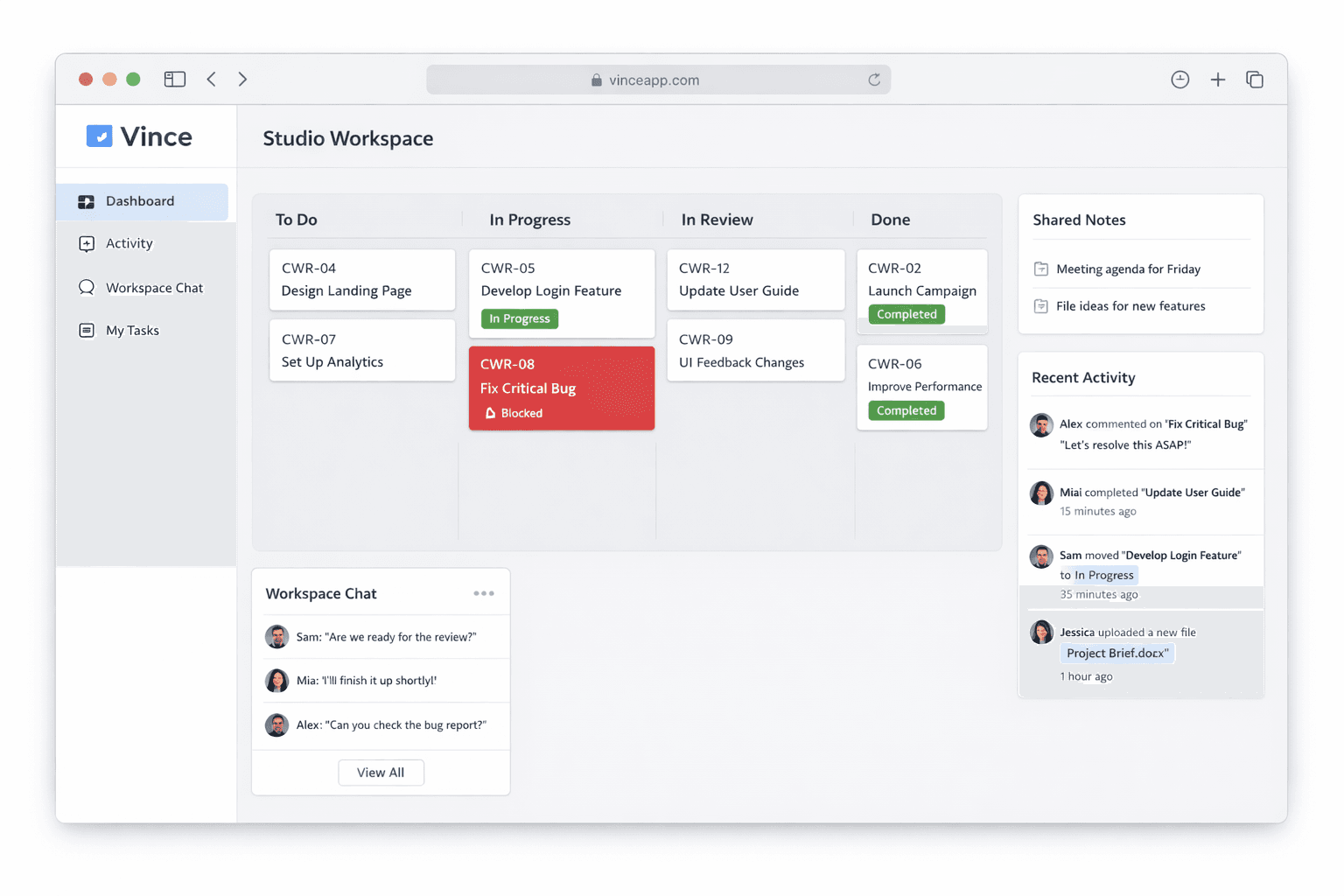
Product preview
A quick look at how the workspace can feel in practice.
Workspace snapshotPreview
Why teams switch
Scattered tools make small teams slower than they should be.
When tasks live in one tool, notes live in another, and updates happen in chat, the team spends too much time reconstructing context instead of moving the work forward.
Tasks vanish into chat
Requirements, approvals, and next steps disappear into message threads, so the team remembers the conversation but not the action.
Project context drifts away
Briefs, notes, and decisions end up in separate docs that nobody revisits at the right time, so updates keep repeating.
Heavy tools create admin work
Most PM tools assume a bigger org and more process. Small teams need clarity immediately, not another system to manage.
How Vince works
Structured enough to keep work clear, lightweight enough to use every day.
Vince keeps the product simple on purpose. Everything lives at the workspace, project, or task level so the team always knows where to look.
Workspace
See project health, recent movement, team chat, and personal workload without bouncing between separate tools.
Project
Every project gets its own board, notes, chat, and activity so the team always knows where the context belongs.
Task
Tasks carry clear ownership, priority, due dates, and blockers so small teams can move without guesswork.
Boards that feel clear the moment you open them
Vince gives every project the same predictable workflow out of the box: Backlog, Todo, In Progress, In Review, and Done. Task IDs stay readable, blockers stand out immediately, and priorities are obvious at a glance.
- Flag blockers and show exactly what is stopping work.
- Use readable project-specific task IDs like CWR-04.
- Press "C" to create a task instantly from the board.
Sprint view
This week's work
Backlog
CWR-08 Capture homepage screenshots
In Progress
CWR-05 Mobile nav polish
Blocked by updated logo export
Done
CWR-01 Set workspace structure
Notes
Shared liveProject brief
Primary goal: ship a lean client-facing homepage with clear CTA and fast mobile loading.
Notes hold the durable context the team should not have to rediscover.
Project chat
RealtimeNina
Board copy is ready. Can you QA the notes layout?
Jules
On it. I'll update the brief once it's checked.
Shared context stays where the work is happening
Use project notes for the information the team needs to revisit later, and keep project chat for the fast coordination that moves work forward right now. Activity stays visible so updates do not disappear into a scrollback hole.
- Dedicated project chat, plus a workspace-wide channel for broader coordination.
- Shared project notes for briefs, decisions, and checklists.
- Visible activity so updates do not vanish into scrollback.
Vince is intentionally built for small teams.
Not for a 500-person org. Not for teams that need a full-time admin. Vince is for the scrappy agency, the small product squad, and the student team that just wants everyone aligned and moving.
Enough structure, no process theater
You get a real workflow, visible ownership, and blocker tracking without spending days configuring rules and custom views.
Everyone sees the same picture
Boards, notes, chat, and activity all live together, so the team can align quickly without constant status meetings.
Ready to use on day one
Create a workspace, invite the team, and start moving work. Vince is built for teams that need traction fast.
Clear the clutter and give your team one place to work.
Create a workspace in seconds, invite the team with one code, and keep boards, notes, chat, and activity connected from the start.